
Build Your Own Plan
Choose data and talk. Change anytime.
Check Tello’s most popular plans
No matter what you choose, every Tello Plan comes with

Hotspot included
The Unlimited plan comes with 10GB hotspot usage, while all other Tello data plans come with the same hotspot allotment as their plan data balance.

Free Wi-Fi Calling
Wi-Fi Calling gets rid of spotty reception or extra costs when traveling abroad. It comes out of your monthly allowance. You’re welcome!

Free International Calls to 60+ countries
Have a big family or tons of friends abroad? If you add minutes to any Tello plan, you get built-in international calls & texts to a huge list of destinations.

Upgrade/downgrade anytime for free.
Need to add more data? Or need to cancel a line? Do that any time, free of charge. Absolutely no penalties. You’re in control of your phone plan.
Change is good.
Even for your phone
Start fresh with a brand new phone, we’ll ship it for free.
Get a phone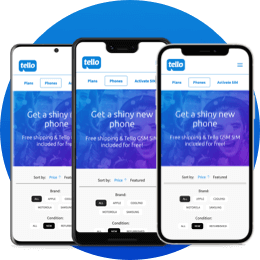
Or bring your own phone.
It’s up to you!
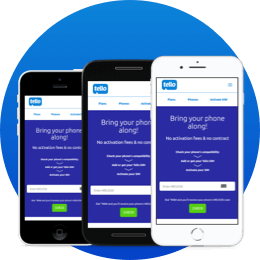
Check if your phone is compatible and enroll it.
Get StartedNeed to call internationally?
Free calls to 60+ countries
Say hello to your auntie in London or call your friends abroad. Get free international calls included in every Tello phone plan. For everything else, you'll still get amazing savings with Pay As You Go Credit.
Frequently Asked Questions
-
Why is my bill higher than my plan price, and how can I see the taxes?
Every purchase—whether it's a single line, a family plan, or Pay As You Go credit—is subject to regulatory sales taxes and surcharges. These vary depending on your billing address and are required by law.
How to see the exact tax amount
You don't have to wait until after you've paid to see the breakdown. You can find the exact numbers on the checkout page before you finalize any order:- Select your desired Plan or Pay As You Go amount.
- Proceed to the Checkout page and ensure your billing information is entered.
- Click the "Calculate Taxes" button near the bottom of the page.
- Look at the blue box on the right side of the screen. This will display: The base Plan/PAYG cost, the specific Taxes & Surcharges amount, the total amount you will be charged.
Tax Assessments for Non-US Billing Addresses
If you are using a non-US billing address (for example, if you are traveling or live abroad and use an international credit card), please be aware that specific tax assessments apply to these transactions. You will see these reflected in your total at checkout.
For more information about Taxes & Surcharges see our Terms & Conditions. -
When do autopay & plan renewal occur?
Your Tello plan is valid for 30 days. To keep things easy, Autopay handles the renewal for you!
- The Schedule: Autopay runs on the 30th day of your plan, usually between 5 AM and 11 AM EST.
- Example: If you buy a plan on July 5th, it will renew on August 4th.
- Important: If there’s a small system delay, don't worry—it will still renew later that same day.
Want to change your plan? Make sure to do so at least 24 hours before your renewal date to ensure the changes take effect.
A Quick Reminder
Since the process is automated, our Support team cannot manually add back balances if a renewal is missed or a payment fails. We recommend double-checking that your payment method is up to date a few days before your 30th day! -
How can I change or cancel my Tello plan?
How can I change my Tello plan?
You can upgrade or downgrade your plan at any time! You can do this through your online Dashboard or by using the My Tello app.
Steps to Change Your Plan:
1. Log in to your account.
2. Go to the Dashboard.
3. Look for the "My Plan" section and select "Change Plan."
What Happens Next?- Instant Change: Your new plan starts immediately and replaces your old one.
- Immediate Charge: You will be charged the full price for the new plan right away.
- New 30-Day Cycle: Your billing date resets to 30 days from today.
- No Scheduling: We can’t schedule a plan change for a future date. If you want the change to happen at the end of your current cycle, wait until one day before your next billing date.
- Unlimited Plans: You cannot manually renew an Unlimited plan early. Only one Unlimited Data plan can be purchased per line every 30 days.
- Security: We don't have access to change your plan for you, so you'll need to follow the steps in your dashboard to make the switch!
Some of your unused balance can move with you to the new plan:- Included Services: If your new plan has the same service (e.g., both plans have data), your leftover balance will roll over for the next 30 days.
- Missing Services: If your new plan does not include a specific service (e.g., you move to a "No Data" plan), any leftover balance for that service will expire on its original date.
-
Can I purchase more than one plan at a time?
No. You need to purchase a plan for each line separately.
This lets you pick a different amount of data or minutes for every family member. You can even use different payment methods for different lines if you need to!
To add a line to your family, just head to our Family Plans page.
Just follow the prompts on the Family page to get each new member connected. Each line will have its own setup process to make sure everything is exactly how you want it!
✅ Pro-Tip: When you're asked how many lines you want to add, do not count the lines you already have. Only enter the number of new lines you want to start right now. -
I ran out of balance before the renewal date. What are my options?
If you run out of your plan's balance before your next billing date, you have three ways to get back online depending on whether you wish to keep your existing billing date or not.
Option 1: Purchase a Data Add-On
If you prefer to keep your current billing date, you can add more data by purchasing a Data Add-On through your online account or by texting “ADD1GB,” “ADD3GB,” or “ADD5GB” to 800.- How to do it: Log in to your account and select “Add more data,” or text one of the options above to 800.
- Note: A Data Add-On is a data top-up that you can add to your current plan. Regardless of the date when the Data Add-On was purchased, it will expire on the same day as your current billing cycle.
This is a flexible "pay-for-what-you-use" credit for US calls, texts, and data, plus international service.- How to do it: Text ADD10PAYG, ADD20PAYG, or ADD50PAYG to 800 or buy it directly from the Pay As You Go Credit section on your account.
- Note: This credit stays valid for 90 days.
If you choose to renew your plan, then your existing plan will be canceled immediately and replaced with the plan you choose today. You will be charged today for the new plan and autopay will be 30 days from today.- How to do it: Log in, go to Dashboard and click "Renew Now," or text RENEW to 800.
Next Steps- Check your balance on the Tello app or website to see exactly what you've used.
- Decide if you need a one-time fix (Option 1 or 2) or if you'd rather reset your whole month (Option 3).
- Update your payment info if you haven't saved a card to your account yet.
-
If I change my plan today, when am I charged?
You will be charged immediately.
When you change or renew your plan, your old plan is canceled right away and replaced by your new choice. Here is what you need to know:
- Instant Billing: You pay the full amount for the new plan today. We do not prorate prices.
- New Schedule: Your next Autopay date will reset to 30 days from today.
- No "Queuing": We don't currently have an option to "schedule" a plan change for a future date. Any change you make happens the moment you confirm it.
Please note that we do not offer partial refunds for unused services or mid-cycle plan changes.
✅ Plan tip:
If you have a lot of data or minutes left on your current plan and don’t want to lose them, the best time to change your plan is the day before your next autopay date. This way, you get the full value of your old plan before the new one kicks in!


Check out our blog
Check out our blog for more frugal and tech tips & tricks for you and your family. Oh, and news about promotions, you wouldn't want to miss that!
See what's new